ServiceM8 setup and training for NZ trade businesses
Horton Taylor sets up and trains ServiceM8 for New Zealand trade and cleaning businesses. A standard setup is usually done inside a week, and there is a bigger package that adds data migration and team training. Mitch is a ServiceM8 Certified Partner and trains your team remotely, anywhere in New Zealand. Book a free 15-minute call for a straight number.
Two packages, one fixed number each, and training that happens over a screen share instead of a two-day workshop. Mitch is a ServiceM8 Certified Partner in Mount Maunganui and sets ServiceM8 up for trade and service businesses right across New Zealand.
You signed up for ServiceM8, poked at it for a fortnight and went back to the notebook
Your crew will not touch it, so you are still the only one entering jobs
You are on Tradify or Fergus and nervous about losing years of client details
The setup wizard gave you an account, not a system that matches how you quote
What you get in a ServiceM8 setup package
Two packages, and you get one fixed number for whichever one you need. A standard setup covers the configuration: your account, your quote and invoice templates, job cards, badges and your Xero or MYOB connection. The larger package adds data migration and team training.
What moves the number is how much old data has to come across and how many people need teaching. A solo painter is the cheaper end, a six-van outfit shifting ten years off Fergus the dearer end. The configuration detail is in what a Certified Partner actually does in a ServiceM8 setup.
Job categories, badges and queues that match your services, so the diary reads at a glance
Quote and invoice templates carrying your logo, terms, payment details and GST handled properly
Job cards and forms your crew can finish on a phone with dirty hands
Online booking, automated reminders and follow-up messages switched on and worded like you
How ServiceM8 training works, wherever you are in New Zealand
Training is live, remote and delivered over a screen share. You are looking at your own account with your own jobs in it, not a demo with fake clients, and we work through the quotes you have on that week.
Most businesses need two or three sessions of about an hour, because the crew use completely different screens to the office. Every session is recorded and you keep the recordings, so next winter's new hire gets the video instead of you teaching it again. No travel line on the invoice, Papamoa or Invercargill.
Live screen share inside your own account, not a canned demo
Separate sessions for the office side and the ute side
Recordings plus a one-page cheat sheet written for your business
A follow-up session two weeks in, once the real questions have surfaced
Moving from Tradify, Fergus or a spreadsheet
Your client list, your price list and your quote wording come across. Job photos, message threads and half-finished quotes do not, because there is no direct connector. A migration is an export, a clean-up and an import, done in a set order so nothing gets typed in twice.
You keep quoting in the old tool until go-live day, the data goes in the night before, and anything mid-flight gets finished where it started. Keep the old subscription open read-only for a month. If you are still deciding, job management software for NZ trades lays the options out honestly.
Mitch runs every account personally from Mount Maunganui.
How long does a ServiceM8 setup take?
A standard setup is usually done inside a week. Setup with migration and team training takes two to three weeks, and most of that is waiting on data exports and finding an hour in your diary, not configuration time.
Your side is small: one scope call, one export from the old system, your logo and terms, and roughly three hours across the training sessions. We do not go live on a Friday or in your busiest week, because a dull switch is exactly what you want.
Local marketing done properly.
Horton Taylor · Tauranga & Mount Maunganui
Do you need a ServiceM8 Certified Partner, or can you set it up yourself?
You can set it up yourself. The wizard will give you an account and a working diary in an afternoon, and for a solo operator with twenty clients that might genuinely be enough. What a DIY setup usually misses is the money side.
Price lists that make quoting fast, templates that look like a business, deposits and payment links, and the automations that chase quotes and unpaid invoices. Those are the parts that pay the setup back. The credential and vendor pricing sit on the main ServiceM8 setup and support page.
More booked jobs, less guesswork.
Horton Taylor · Tauranga & Mount Maunganui
What happens after you go live
Nothing gets handed to an account manager. You have Mitch on the phone, same as before the invoice was paid. Most businesses need a bit of help in the first month and it is nearly always small, charged hourly or per project with no retainer.
The job worth doing next is connecting the front end. When your website enquiries and ad leads drop straight into ServiceM8 as jobs, nothing sits in an inbox until Sunday night. That is where the setup and marketing for tradies meet.
You work directly with Mitch.
Horton Taylor · Tauranga & Mount Maunganui
What you get
A ServiceM8 account configured around how you quote, schedule and invoice, not the default template
Quote and invoice templates, job cards and forms built with your logo, terms and payment details
Client and price list migration from Tradify, Fergus, another tool or a spreadsheet
Xero or MYOB connected, plus online booking, reminders and follow-up messages switched on
Live remote training for you and your crew, recorded so new staff can watch it later
A one-page cheat sheet for your business, and Mitch on the end of the phone afterwards
What that means for you
Quotes out the same day instead of next weekend
A crew that actually uses the system
Your evenings back off the admin
How it works
Our digital marketing process
01
Scope call and quote
A free 15-minute call about how you quote, schedule and invoice today, what tool you are on now and how many people need training. You get a fixed number before anything starts.
02
Configure and build
Mitch builds the account out: job categories and badges, quote and invoice templates, job cards, forms, online booking and the automated reminders.
03
Migrate and connect
Your client and price lists come across from Tradify, Fergus or a spreadsheet, and Xero or MYOB gets connected from your go-live date.
04
Train the team and go live
Two or three recorded screen-share sessions, split between the office side and the field side, then a follow-up a fortnight later once real questions have shown up.
Where we work
Areas we serve
Mitch is based in Mount Maunganui, and because setup and training both run over a screen share, the same package and the same quote apply wherever you are, with no travel line on the invoice. Bay of Plenty is the home patch and the rest of the country is covered remotely by screen share, phone and email.
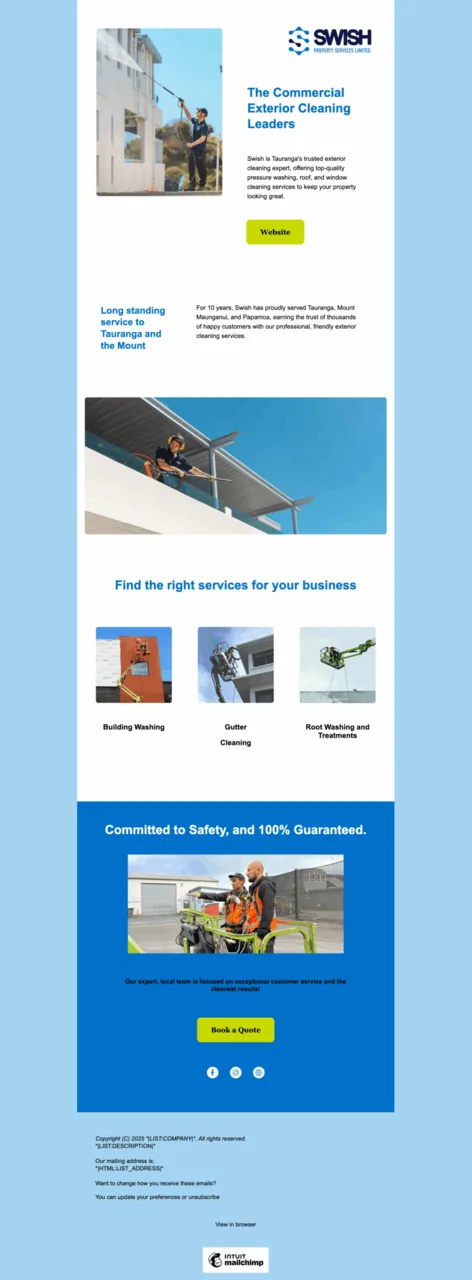
SWISH had 3,000+ past customers but no systematic way to re-engage them. The team was flat out serving current customers, so manual follow-up wasn't happening.
What we did
Cleaned and structured the 3,000-record customer database into something usable.
Built monthly email newsletters featuring seasonal services and recent project work.
Layered in SMS campaigns that made rebooking as friction-free as possible.
What happened
150% increase in customer rebooking rates
New upsell opportunities for additional services
Lift in referrals from reactivated customers
A sustainable recurring revenue stream without expanding ad spend
"I couldn't recommend Mitch and Erin highly enough. They have been super helpful for our business and supporting us with marketing, ServiceM8 and our website. They were really responsive and efficient. Will continue to use them again."
Serena Ross, Bonds Flooring
"Mitch has been a god send to my window cleaning business! We've been working together for just over two months and in that short time we've doubled the jobs coming through and implemented software and systems that make admin a breeze. Can't recommend Horton Taylor enough!"
Hogan Duke, Duke Property Services
Questions we get about digital marketing for tradies
How much does ServiceM8 setup and training cost in NZ?
Three things move it: how many staff need training, how much client and job history is coming across, and how many forms and automations your trade needs. A standard setup covers the account configuration, the quote and invoice templates, the job cards and badges and the Xero or MYOB connection. The larger package adds the data migration, the recorded training sessions and a follow-up a fortnight after go-live. Ongoing help afterwards is hourly or per project with no retainer. Book a free 15-minute call and you get one fixed number before anyone starts work. That is separate from what ServiceM8 charges you for the software, which ServiceM8 pricing in NZ breaks down plan by plan.
How long does it take to get set up?
A standard setup is usually done inside a week. With migration and team training, allow two to three weeks, most of it waiting on your data export and finding training slots rather than build time. Your own involvement is about four hours in total across the scope call and the training sessions.
How does the training work if I am not in the Bay of Plenty?
Exactly the same as if you were. Training is live over a screen share in your own account, so nobody travels and nothing costs extra. Sessions run about an hour, they are recorded, and your crew can join from a ute on site. Remote is how these setups are run as standard, not a lesser option for out-of-town clients.
Can you train my whole team, not just me?
Yes, and it works better when we do. The office side gets its own session on quoting, the diary, invoicing and reporting. The field side gets a shorter one on the phone app: accepting a job, filling in the job card, taking photos, getting a signature and taking payment on site. Splitting them keeps each session short enough that people actually retain it.
What do you need from me before setup starts?
Four things: an export or spreadsheet of your client list, your current price list or rate card, your logo and your payment and GST details, and your quote and invoice wording so we can rebuild it as templates. If any of that is messy, send it as is. Tidying it up is part of the job. What a Certified Partner actually does in a ServiceM8 setup walks through the whole sequence.
Is ServiceM8 definitely the right app for my trade?
Usually, but not always. ServiceM8 suits businesses that run lots of short jobs with quoting, scheduling and invoicing off a phone, which covers most cleaners, sparkies, plumbers, gas fitters, pest and property maintenance work. Long multi-stage builds with progress claims and heavy job costing sometimes fit Fergus better. Job management software for NZ trades compares them without pretending there is one winner, and Mitch will tell you on the intro call if ServiceM8 is the wrong tool for you.
Do I pay you for the ServiceM8 subscription too?
No. You pay ServiceM8 directly for the software and Horton Taylor for the setup and training, so the two never get tangled and the account stays in your name. ServiceM8 also runs a setup and training rebate for New Zealand accounts, so it is worth checking the current terms at servicem8.com before you budget (as at July 2026).
What if we get stuck after go-live?
You ring Mitch. There is no account manager and no ticket queue, and the follow-up session a fortnight after go-live is included, which is when most questions land. Anything beyond that is charged hourly or per project, with no retainer. The wider service, the Certified Partner credential and the ServiceM8 login help all sit on ServiceM8 setup and support.
Last updated:
Let's talk.
Tell us about your business and we'll get back to you within one business day, or call Mitch on 027 412 1176.